Skip to content
RISE

Plans

We’ve got the right coverage for your specific operation

SMS Suite is the whole of it: reporting, risk management, assurance, promotion and policy in one system. Basics and Essentials are where operations start, on the same account, with nothing to move when you take on the rest.

SMS Basics

For operations laying the foundation. Simple reporting that becomes part of the culture.

Build the forms your operation uses, put a QR code where the work happens, and let anyone file in under a minute on any device, anonymously if that's what it takes. Every report lands with an owner.

Includes

  • Build your own report forms
  • Hazard, incident and near miss reports
  • Submitted from any phone by QR code
  • Anonymous submission
  • De-identified PDF export
  • Tasks with owners and due dates
  • Reporting charts and trends

SMS Essentials

For operations ready to act on what gets reported. Closing the loop, not just collecting.

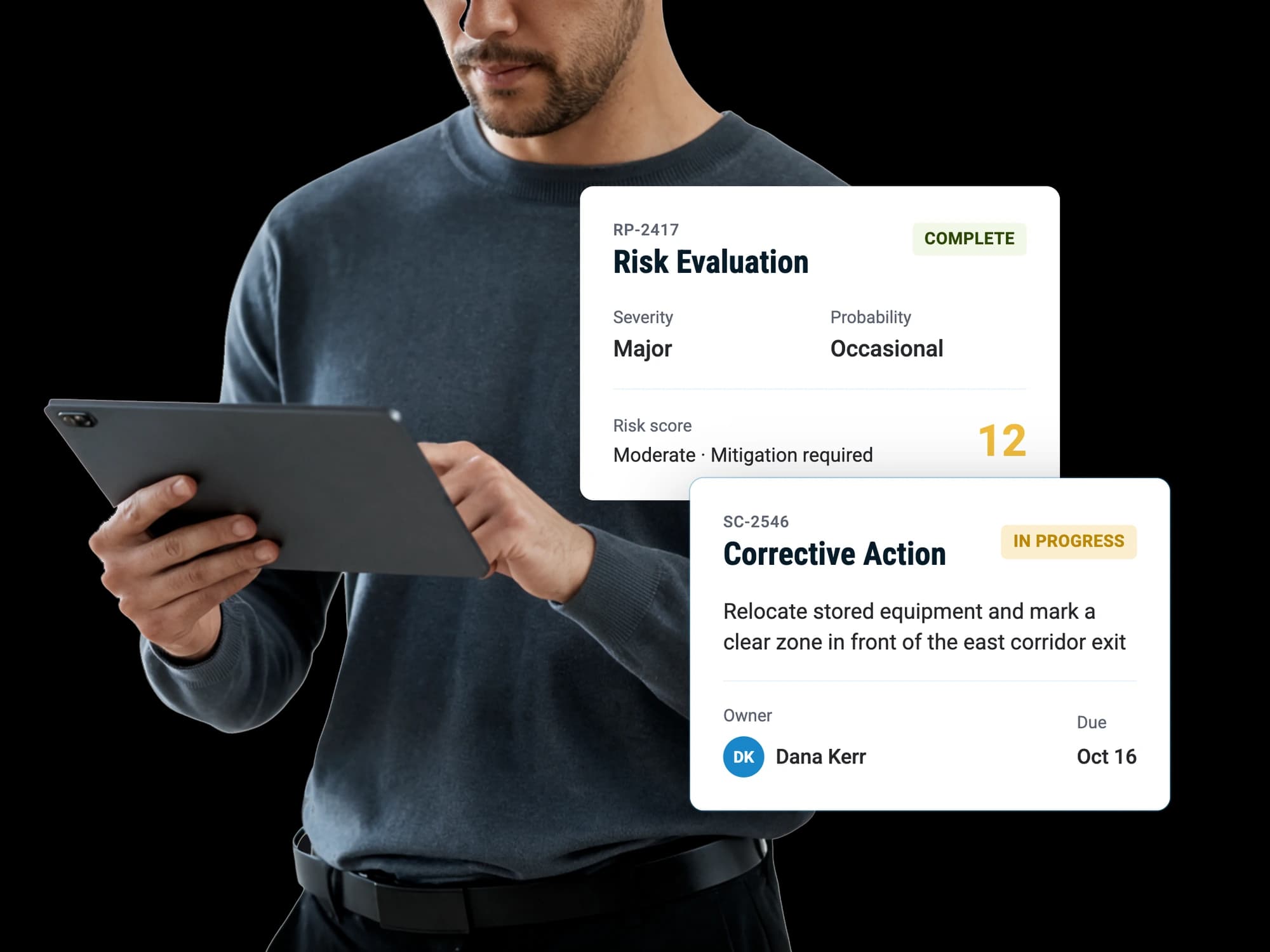
Everything in Basics, plus what happens after a report arrives. Evaluate the risk, open a case, assign the fix with an owner and a date, and verify it held before anyone closes it.

Everything in Basics, plus

  • Risk evaluations with controls and acceptance
  • Hazard register and control library
  • Safety cases opened straight from a report
  • Task Register with verified closure
  • Internal audits and safety inspections
  • Your own audit and inspection templates
  • Report triage
Most popular

SMS Suite

For operations running a full safety program, not just a reporting system.

Everything in Essentials, plus the parts that face the entire operation. Publish what changed and see who acknowledged it, run the safety committee, and measure objectives against your own records.

Everything in Essentials, plus

  • Safety advisories on the assets they concern
  • Safety promotions with acknowledgement tracking
  • Meeting minutes with agendas and tasks
  • Safety policy statement
  • Safety objectives with indicators and targets
  • Breach notices when a target is missed
  • Manuals and document library
  • Custom branding of communication

Enterprise

For large operations that arrive with requirements of their own

Single sign-on, enforced two-factor authentication, training for your people and hands-on setup of the account. Bigger organizations bring their own security and rollout expectations, and those are worth getting right rather than worked around, so they are scoped into an agreement alongside whichever plan you are on.

Add-on

RISE Agent

Talk to your safety data to uncover insights

Ask your questions and gain clarity. What is trending over the last ninety days, which tasks are slipping and who owns them, which hazards keep coming back. It reads your registers directly, so the answer comes out of what your people filed rather than a spreadsheet somebody built the week before the board meeting.

Compare

What does each plan include?

Every feature in the platform, organized by the plan that unlocks it.

What is included in each RISE plan
FeatureSMS BasicsSMS EssentialsSMS Suite
Safety Reporting
Build your own report formsAdd the questions and fields you want, and change them later without waiting on us.IncludedIncludedIncluded
Starter templates35 forms, tagged by industryIncludedIncludedIncluded
Hazard and incident reportsThe two report types every account starts with, ready to use.IncludedIncludedIncluded
Risk assessment forms with scoringAnswers carry points, so a submission arrives already rated.IncludedIncludedIncluded
Flight risk assessment (aviation)Weather, NOTAMs and an AI trip summary on every assessment. Aviation accounts only.IncludedIncludedIncluded
Checklists, inspections and general formsThe same form builder, for work that is not a hazard or an incident.IncludedIncludedIncluded
Submit from a phone browserThe same form, laid out for a phone. Every screen in RISE adapts to the device it is on.IncludedIncludedIncluded
QR code on a formPrint it, stick it up, and a scan opens that form.IncludedIncludedIncluded
One QR code for every public formA single code that opens the list, so one sticker covers every form you publish.IncludedIncludedIncluded
Anonymous submissionThe reporter chooses not to be named, and the submission carries no name.IncludedIncludedIncluded
Public submission without an accountContractors and visitors can file a report without being users.IncludedIncludedIncluded
De-identified PDF exportNames replaced in the generated PDFIncludedIncludedIncluded
Choose who a submitted report notifiesSet per form, so the right people hear about it and nobody else does.IncludedIncludedIncluded
Attach photos and filesAdded by the reporter at the time, while the evidence is still there.IncludedIncludedIncluded
Assign and track tasksAn owner and a due date, on their list until it is done.IncludedIncludedIncluded
Reporting charts and trendsBuilt from your own submissions, so the shape of what gets reported is visible without assembling it.IncludedIncludedIncluded
Export reports to PDFA single report as a file you can send to somebody outside the account.IncludedIncludedIncluded
Safety Risk Management
Triage what a report actually isCategorize the report, then decide what happens to itNot includedIncludedIncluded
Risk evaluationsSeverity and probability, controls, acceptanceNot includedIncludedIncluded
Initial and residual riskThe rating before controls and the rating after them, kept side by side.Not includedIncludedIncluded
Formal acceptance by an authorized personNot includedIncludedIncluded
Scheduled re-review datesThe evaluation comes back around on a date rather than when somebody remembers.Not includedIncludedIncluded
Hazard registerEvery identified hazard in one list, rather than scattered across the reports that raised them.Not includedIncludedIncluded
Control libraryControls you can reuse, so the same mitigation is not rewritten for every hazard.Not includedIncludedIncluded
Link evaluations to the reports behind themNot includedIncludedIncluded
Risk management chartsHow risk is moving across the account, drawn from the evaluations themselves.Not includedIncludedIncluded
Safety Assurance
Safety casesA container for a bigger piece of work, holding its own tasks and the records behind it.Not includedIncludedIncluded
Open a case straight from a reportThe report stays linked, so the case shows what started it.Not includedIncludedIncluded
Task RegisterEvery open task across the account in one list.Not includedIncludedIncluded
Corrective actions with owners and due datesNot includedIncludedIncluded
Verify a fix worked before closingA check after the fact, recorded, so closure means something.Not includedIncludedIncluded
Internal auditsRun against a template, with findings recorded as you go.Not includedIncludedIncluded
Safety inspectionsThe same shape as an audit, for the shorter checks that repeat.Not includedIncludedIncluded
Audit and inspection template libraryA catalog to start from rather than a blank page.Not includedIncludedIncluded
Build your own audit and inspection templatesNot includedIncludedIncluded
Findings with severity and required evidenceNot includedIncludedIncluded
Evidence export as a zipThe whole audit and its evidence as one file, laid out the way the report reads.Not includedIncludedIncluded
Safety advisoriesA notice about a specific risk, kept where the people it affects will see it.Not includedNot includedIncluded
Advisories shown against the asset they concernNot includedNot includedIncluded
Due and overdue audit remindersSent before it slips, not after.Not includedIncludedIncluded
Assurance chartsAudit and inspection performance over time.Not includedIncludedIncluded
Safety Promotion
Safety promotionsSafety communication sent out and tracked, rather than an email nobody can prove landed.Not includedNot includedIncluded
Send to people, groups or email addressesIncluding people who are not users of the account.Not includedNot includedIncluded
Require a form submission or trainingSet a next step a recipient has to complete before the promotion counts as done.Not includedNot includedIncluded
Acknowledgement tracking per personWho has seen it, who has acknowledged it, and who has done neither, by name.Not includedNot includedIncluded
Due dates and manual nudgesA deadline, and a reminder you send when it is close.Not includedNot includedIncluded
Meeting minutesAgenda, attendance, decisions and tasks kept as a record rather than in somebody's notes.Not includedNot includedIncluded
Agendas, attendance and decisionsNot includedNot includedIncluded
Tasks raised from a meetingThey join the same Task Register as everything else.Not includedNot includedIncluded
Meeting minutes PDFThe minutes as a file, for people who were not in the room.Not includedNot includedIncluded
Promotion chartsWhat has been sent, and what has actually been acknowledged.Not includedNot includedIncluded
Safety Policy
Safety policy statementYour policy held in the account rather than in a document nobody opens.Not includedNot includedIncluded
Safety objectivesWhat you are trying to achieve, written down and measurable.Not includedNot includedIncluded
Safety performance indicatorsMeasured from your own records, recalculated nightlyNot includedNot includedIncluded
Safety performance targetsThe number an indicator is aiming at.Not includedNot includedIncluded
Breach notices when a target is missedYou are told when an indicator crosses its target, rather than finding out at review.Not includedNot includedIncluded
Objective progress chartsWhether the objectives are actually moving.Not includedNot includedIncluded
Documents
Upload manuals and documentsPDF, DOC, DOCXNot includedNot includedIncluded
Manuals and General librariesTwo places to keep documents, so the manual is not lost among everything else.Not includedNot includedIncluded
Attach a document as audit evidenceThe document itself becomes the evidence, rather than a copy of it.Not includedNot includedIncluded
Account
Permission levelsIncludedIncludedIncluded
Groups and locationsIncludedIncludedIncluded
Roles and responsibilitiesIncludedIncludedIncluded
Activity history on a recordIncludedIncludedIncluded
Email notificationsIncludedIncludedIncluded
Custom branding of communicationNot includedNot includedIncluded
Enterprise
Single sign-onEnterprise
Enforced two-factor authenticationEnterprise
User trainingAdd-on services
Account implementation and setupAdd-on services

Every plan includes everything in the one before it. Rows marked Enterprise or Add-on services are quoted separately rather than switched on by a plan.

Plan questions

What people ask before choosing

What is the difference between SMS Basics, Essentials and Suite?

Basics is somewhere for everybody to file a report, with the forms, QR codes and anonymous submission that make people use it. Essentials adds the ability to do something about a report: risk evaluations, safety cases, corrective actions, audits and inspections. Suite adds closing the loop, with promotions, meeting minutes, policy, safety objectives and documents.

How much does RISE cost?

Pricing depends on the plan and the size of the operation, and it is quoted in a conversation rather than published. Book a demo and you will get a figure for your operation in that call, along with what setup involves.

Can we change plans later?

Yes, at any time, and nothing moves. A plan is a set of entitlements on the same account, so moving up switches on new sections beside the records you already have. Reports, evaluations and audits filed on a lower plan stay exactly where they are.

Do you offer a money back guarantee?

Yes. RISE comes with a 30 day money back guarantee, so an operation that signs up and finds it is not the right fit can get its money back within the first 30 days.

Which plan do most operations start on?

Most start on Essentials, because reporting on its own quickly produces a pile of reports that need a decision, an owner and a date. Operations that are standing up a program from nothing sometimes start on Basics deliberately, to get people reporting before adding process.

Is there a limit on how many reports we can file?

Reporting is not metered by plan. What a plan changes is which parts of the platform an account can reach, not how much work it can do inside them, so a busy month costs the same as a quiet one.

Do all plans work on a phone?

Yes, on every plan. RISE runs in a phone browser and adapts to the screen, and a person filing a report can scan a QR code and submit without an account at all if the form is set up that way.

Which plan includes audits and inspections?

SMS Essentials and above. Both come with a template library and a builder for your own templates, findings with severity and required evidence, and corrective actions that can be verified before anybody closes them.

Which plan includes safety objectives and SPIs?

SMS Suite. Safety objectives sit in the Policy section with safety performance indicators measured from your own records, safety performance targets, and a notice when a target is breached. The indicators recalculate nightly.

Can we add RISE Agent to any plan?

Yes. RISE Agent is an add-on rather than a tier, so it can go on an account at any plan. It answers questions from the records in that account, so it has the most to work with from SMS Essentials up, where risk evaluations, safety cases and audits are in there alongside the reports.

Is the flight risk assessment tool part of these plans?

Yes. For aviation operations, the flight risk assessment tool, with its weather and NOTAM briefing and AI trip summary, is included in SMS Basics and every plan above it.


Discover how RISE can empower your safety program

A guided walkthrough of how RISE handles reporting, evaluation, resolution and insight, with time to talk about how your own operation runs today.