Skip to content
RISE

Safety reporting

Easy to file, from wherever the work is

Most safety systems are empty because reporting was built for the person reading the reports, not the person filing one. This is built the other way round: scan a code, say what happened, get back to work.

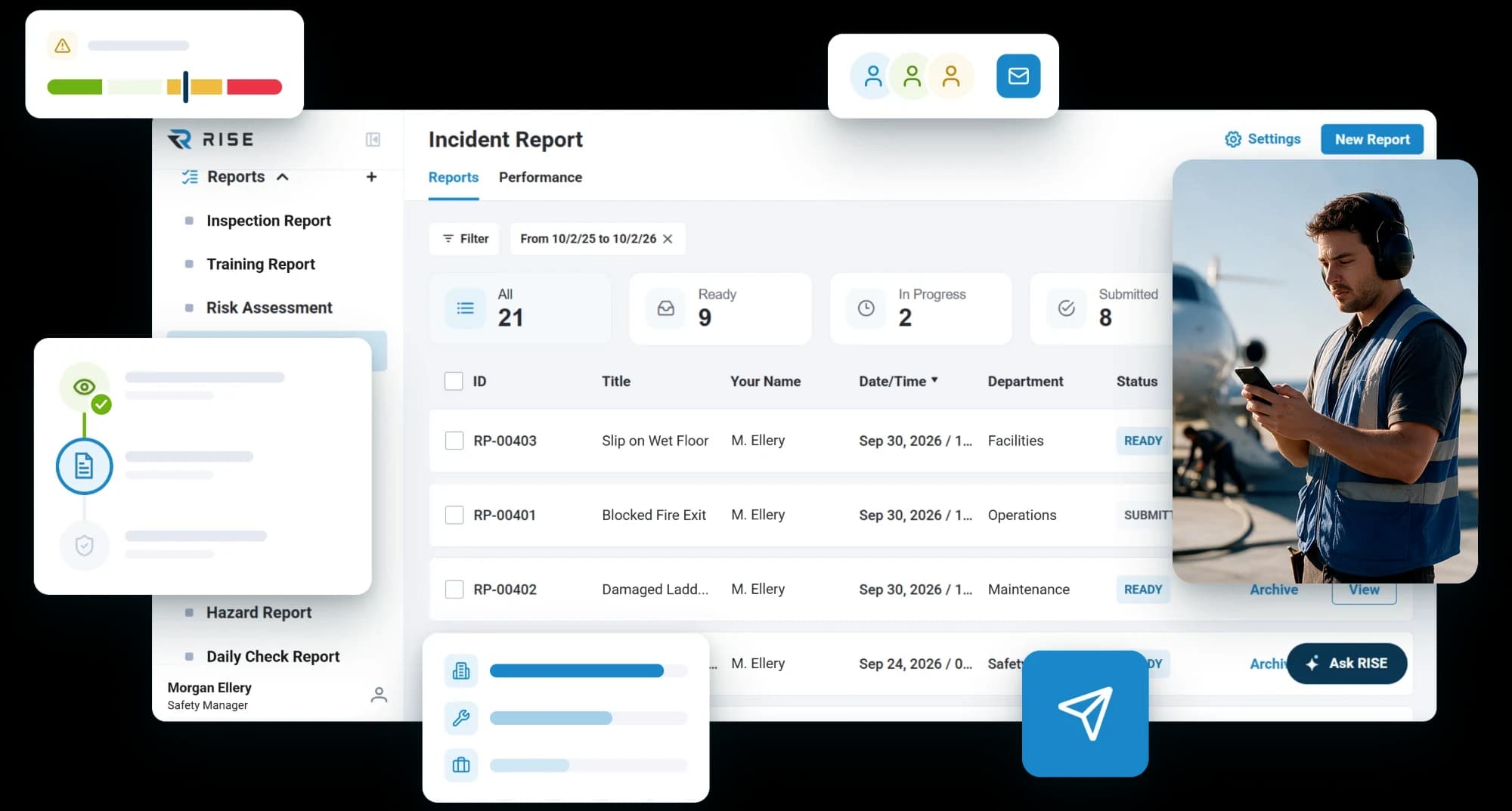
The incident report list in RISE: 21 reports with their ready, in progress and submitted counts, each with its title, reporter, department and status, beside a person filing one from a tablet

A safety system with nothing in it tells you nothing

Under-reporting is not a culture problem you can fix with a poster. It is what happens when filing a report costs more than staying quiet. Everything below is about making that cost close to nothing.

Getting it in

A code on the wall is the whole process

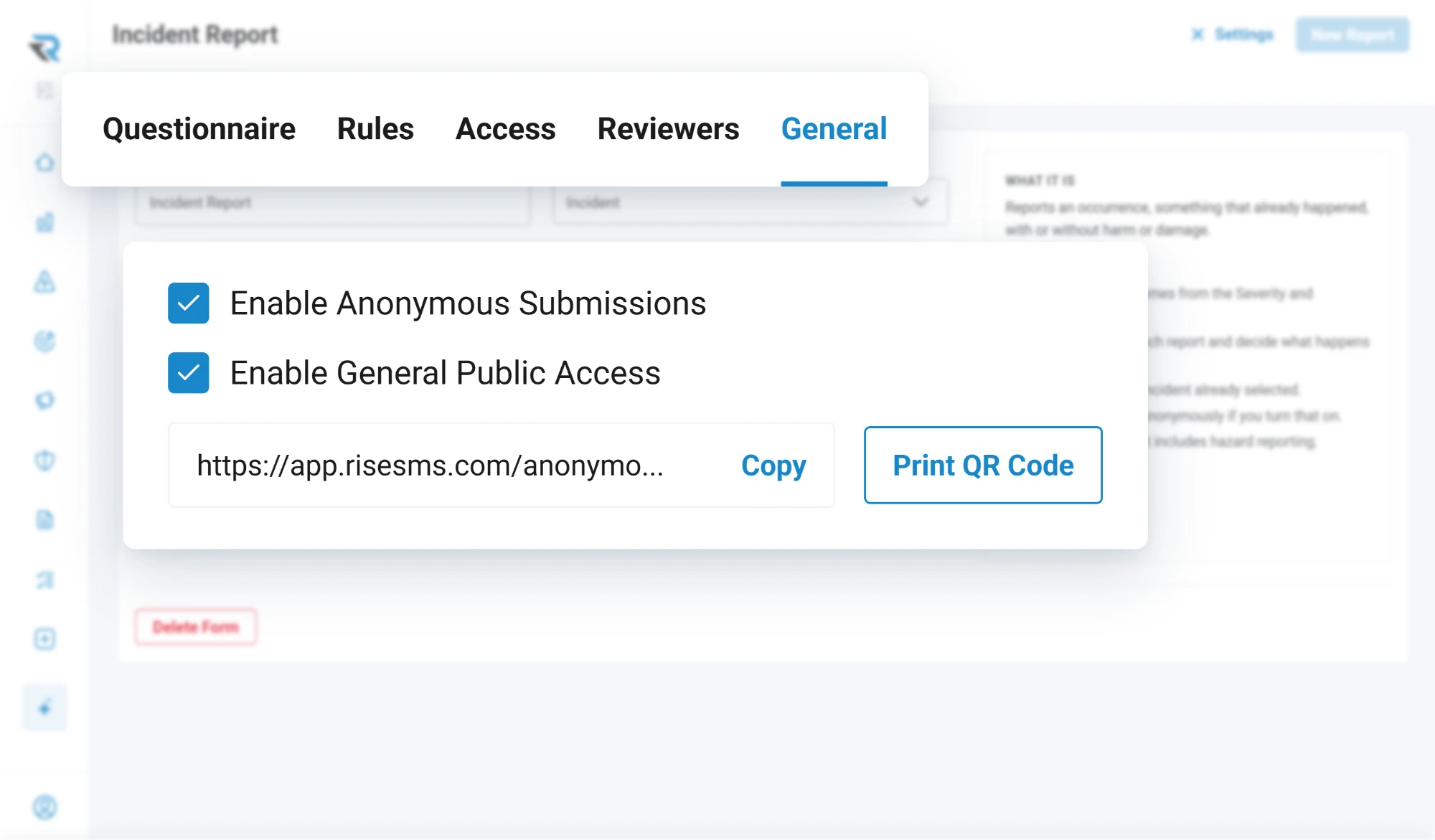
Put a QR code where the work happens. Somebody scans it, picks the form and submits, and the report is in the system before they have walked back. It works the same on a phone, a tablet or a desktop, and there is no login and no account to be given.

Each form can carry its own code, and one code in company details opens the whole list, so a single sticker covers everything you want people to be able to raise.

  • QR codes per form, or one for all of them
  • Works on any screen, with no login
  • Works on whatever phone somebody already has
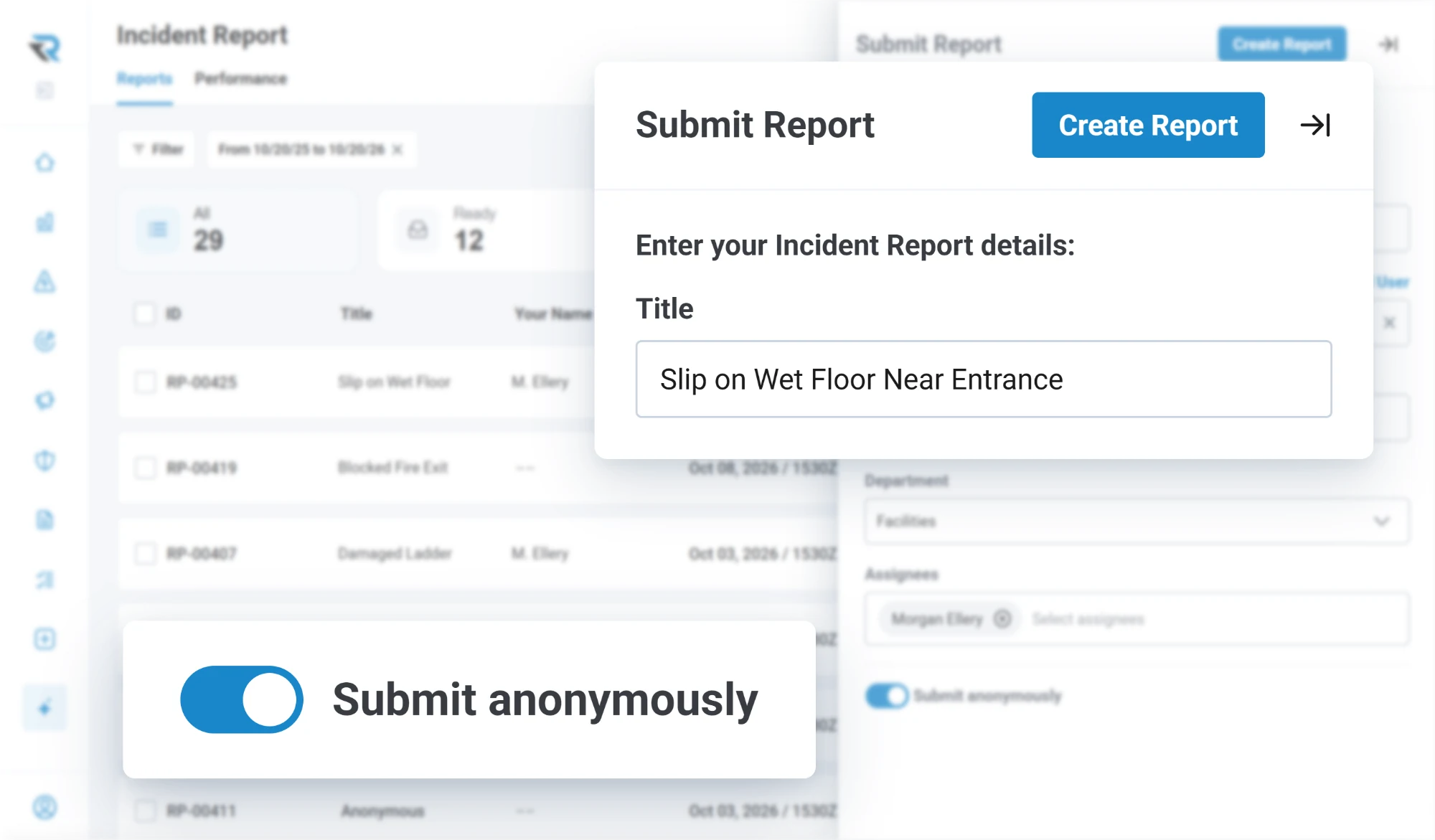
Submitting an incident report titled Slip on Wet Floor Near Entrance, with the Submit anonymously toggle switched on

The forms

Built by you, in the app, not by us on a call

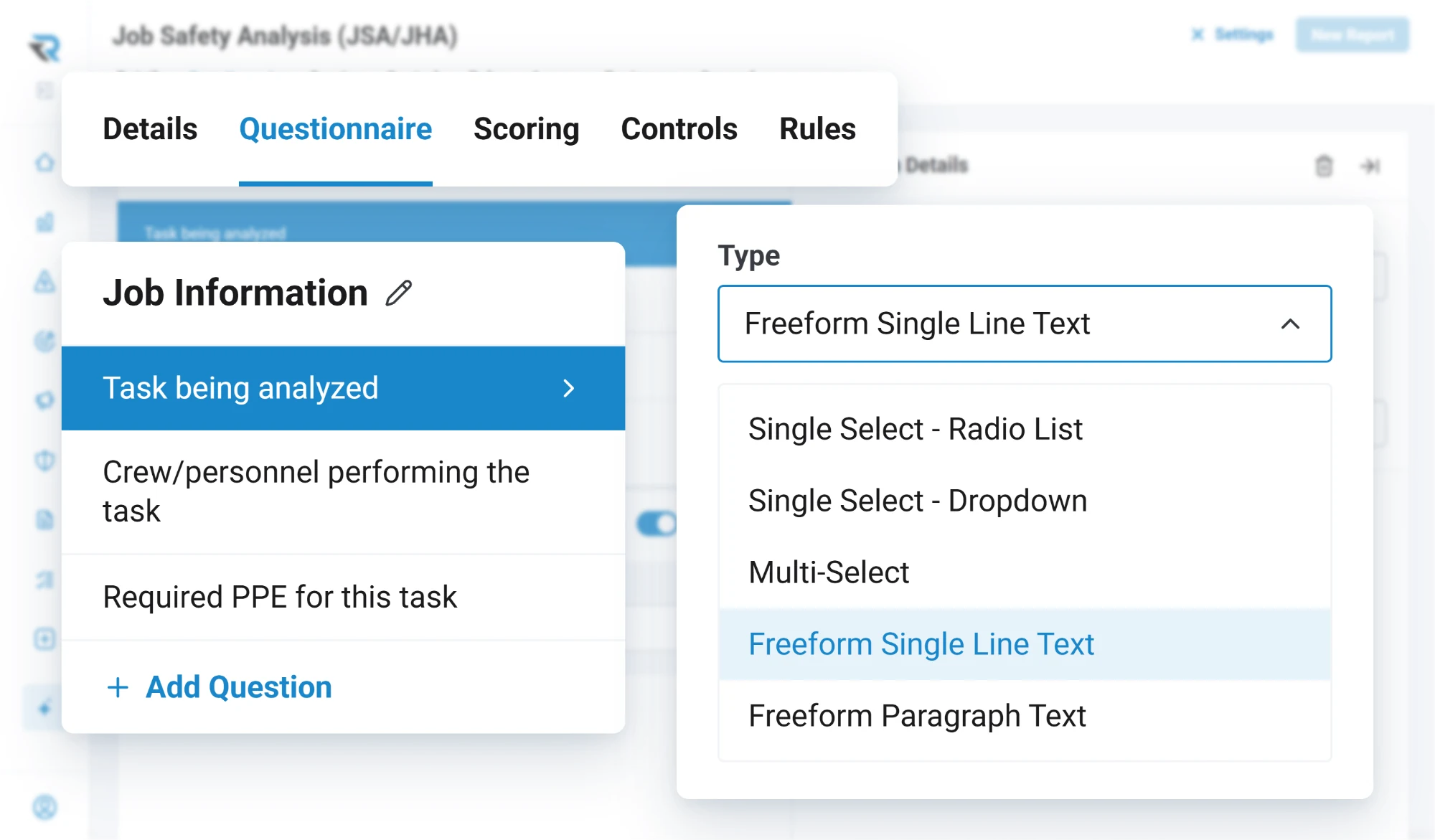
An admin builds a form from nothing: sections in the order you want them, questions with their own help text, and thirteen question types to ask with. A section can repeat, so one report covers however many people or pieces of equipment were involved.

Questions can depend on answers. Ask the follow-up only when the first answer calls for it, and the person filing sees a short form instead of a long one with most of it crossed out.

  • Sections, repeatable sections, and question ordering
  • Questions that appear based on an earlier answer
  • Help text on any question that needs it
  • Your own dropdown lists, managed by your account
Building a job safety analysis form: the Job Information section's questions, with the question type list open on choices from radio list to paragraph text

Anonymous reporting

The report you would not get otherwise

Any form can be opened for anonymous submission. The person filing sees a toggle on the report itself and decides in the moment, which is the only point at which that decision is worth anything.

Separately, a finished report can be exported as a de-identified PDF, with names replaced, for the times you need to circulate what happened without circulating who it happened to.

  • Anonymous submission, set per form
  • Public access for people who have no account
  • De-identified PDF export
A form's general settings: anonymous submissions and general public access turned on, with its public link, a copy button and Print QR Code

Scoring and rules

The form does the first pass

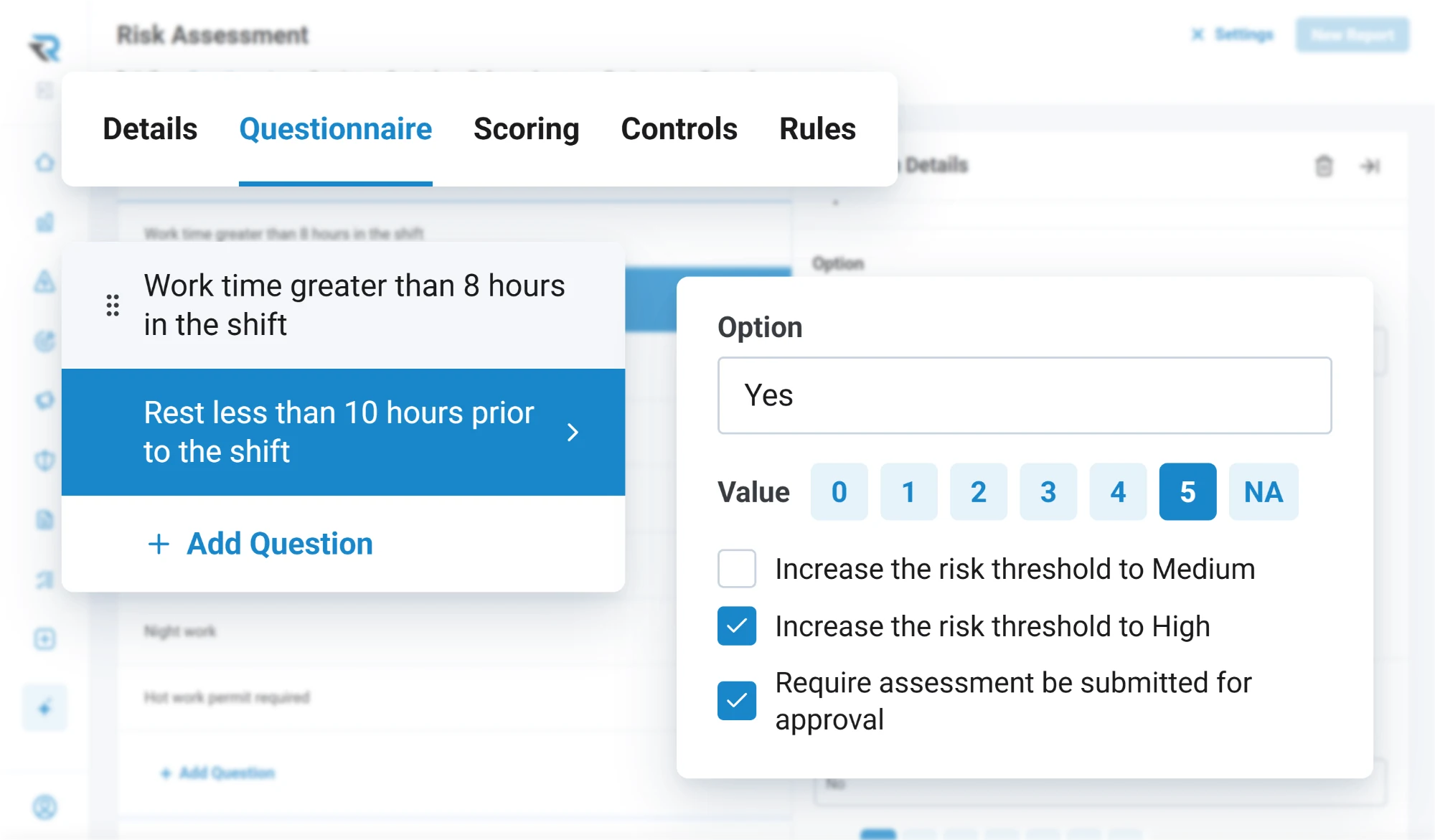
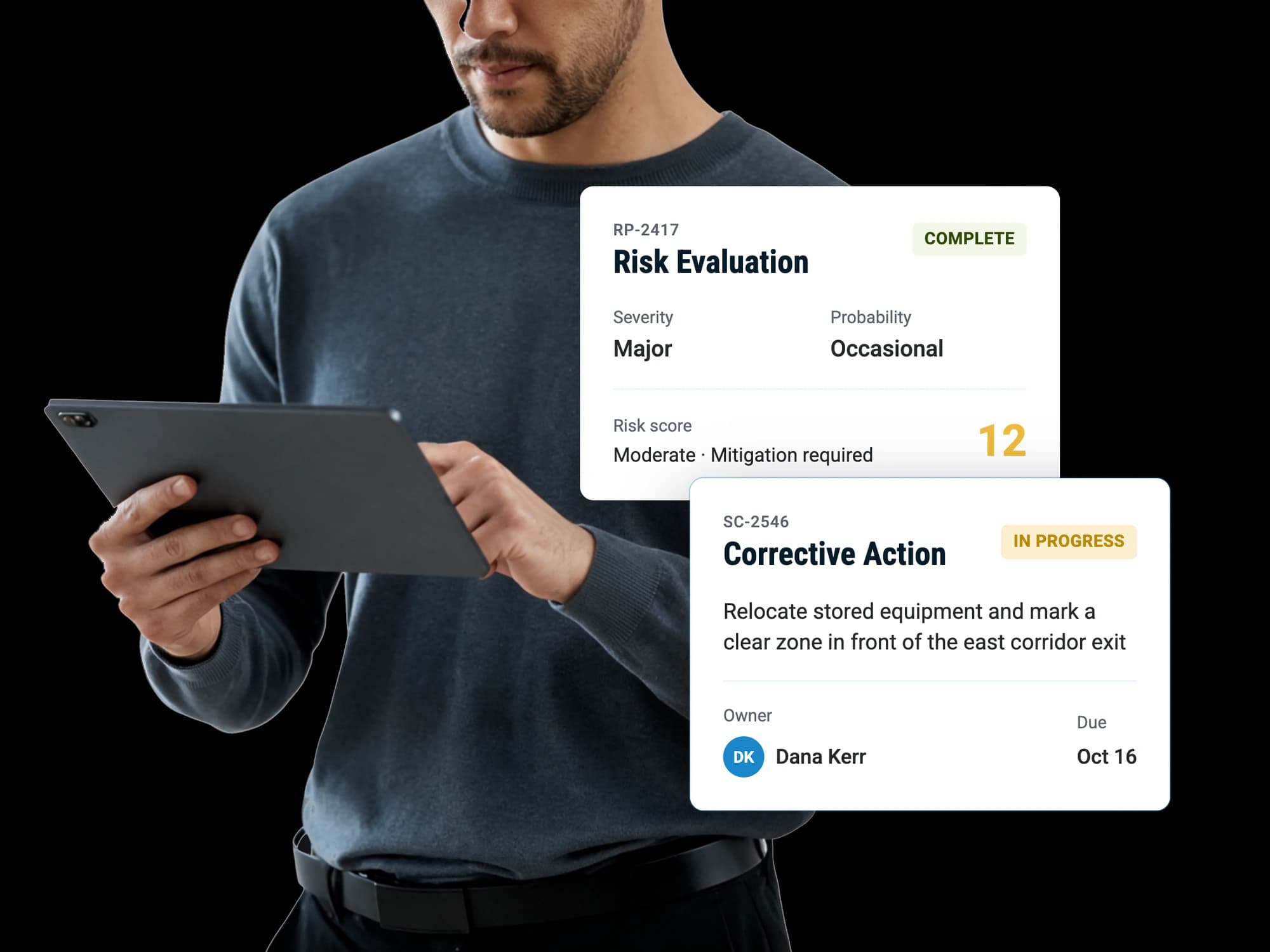
Answers carry point values, so a report arrives with a score rather than waiting for somebody to read it and form an opinion. You set what each threshold means and what each threshold triggers: a warning to the person filling it in, a required mitigation, an approval before anything proceeds.

Named combinations of risk factors can raise their own alert with your wording on it, so the thing your operation has learned to watch for is the thing the form watches for.

  • Point values and scoring on any answer
  • Your own thresholds for what counts as low, medium and high
  • Required mitigation and approval above a threshold you choose
  • Alerts on the combinations that matter to your operation
Scoring a risk assessment answer: a Yes to less than 10 hours' rest before the shift is worth 5 points, raises the risk threshold to High and requires the assessment to be submitted for approval

Triage

What it is, decided by somebody who knows

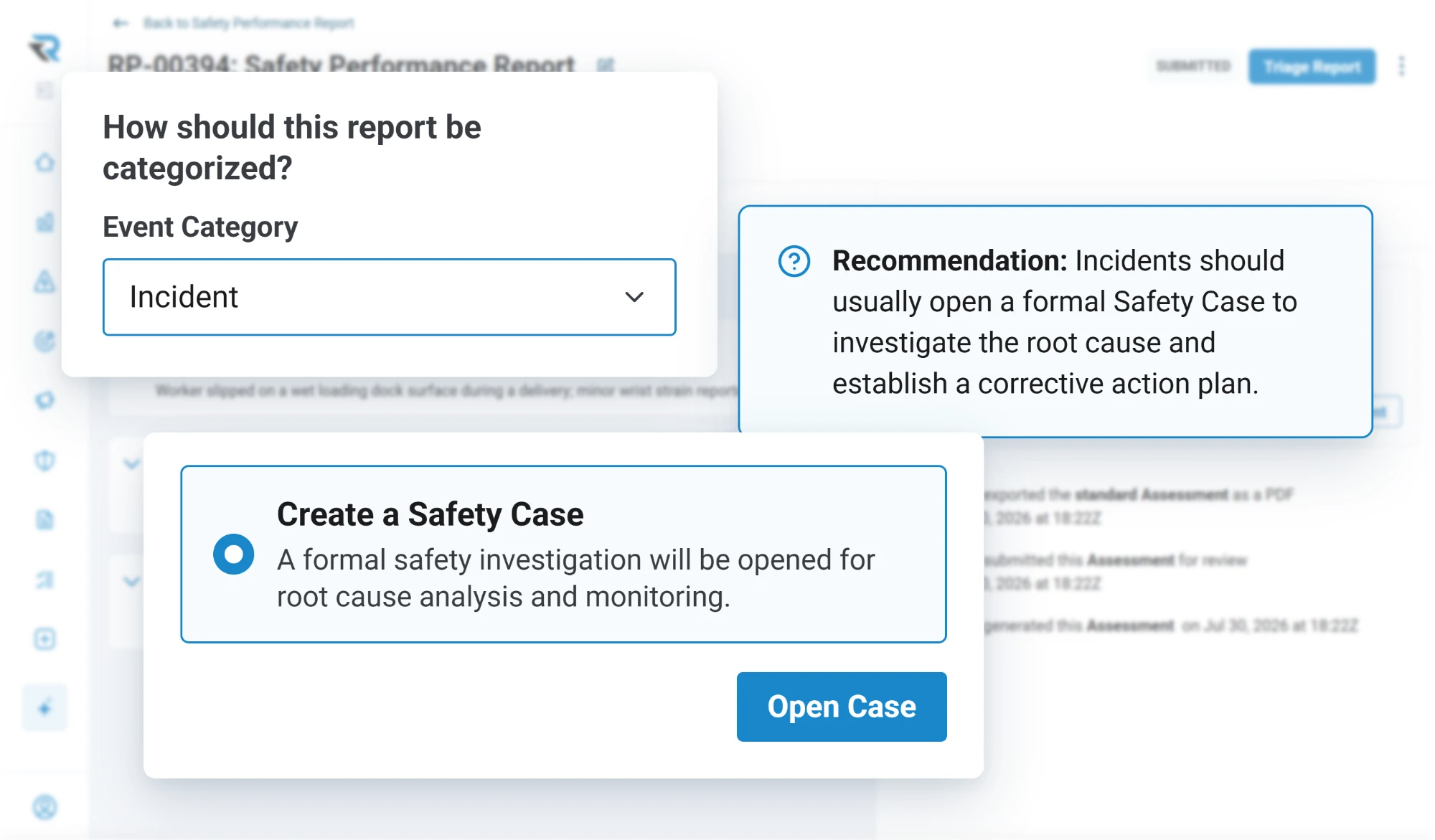
The person filing a report should not have to classify it correctly, and the system should not pretend they did. A reviewer records what the report actually is, separately from the form it arrived on, and what happens next: no further action, a safety action, a risk evaluation, or an investigation.

  • Classified by a reviewer, not by the reporter
  • Hazard, near miss, incident, accident, or not a safety issue
  • A disposition that says what happens next
A reviewer categorizing a report as an incident, with a recommendation to open a safety case and the option to create one

Where it goes

In front of the right people, immediately

Each form decides who receives it, who can see it and who reviews it. Submission can require a signature with your own disclaimer, and the person who filed it can get an acknowledgement you wrote rather than silence. Somebody who hears back knows their report was read and that the time they spent on it counted, and that is what brings them back with the next one.

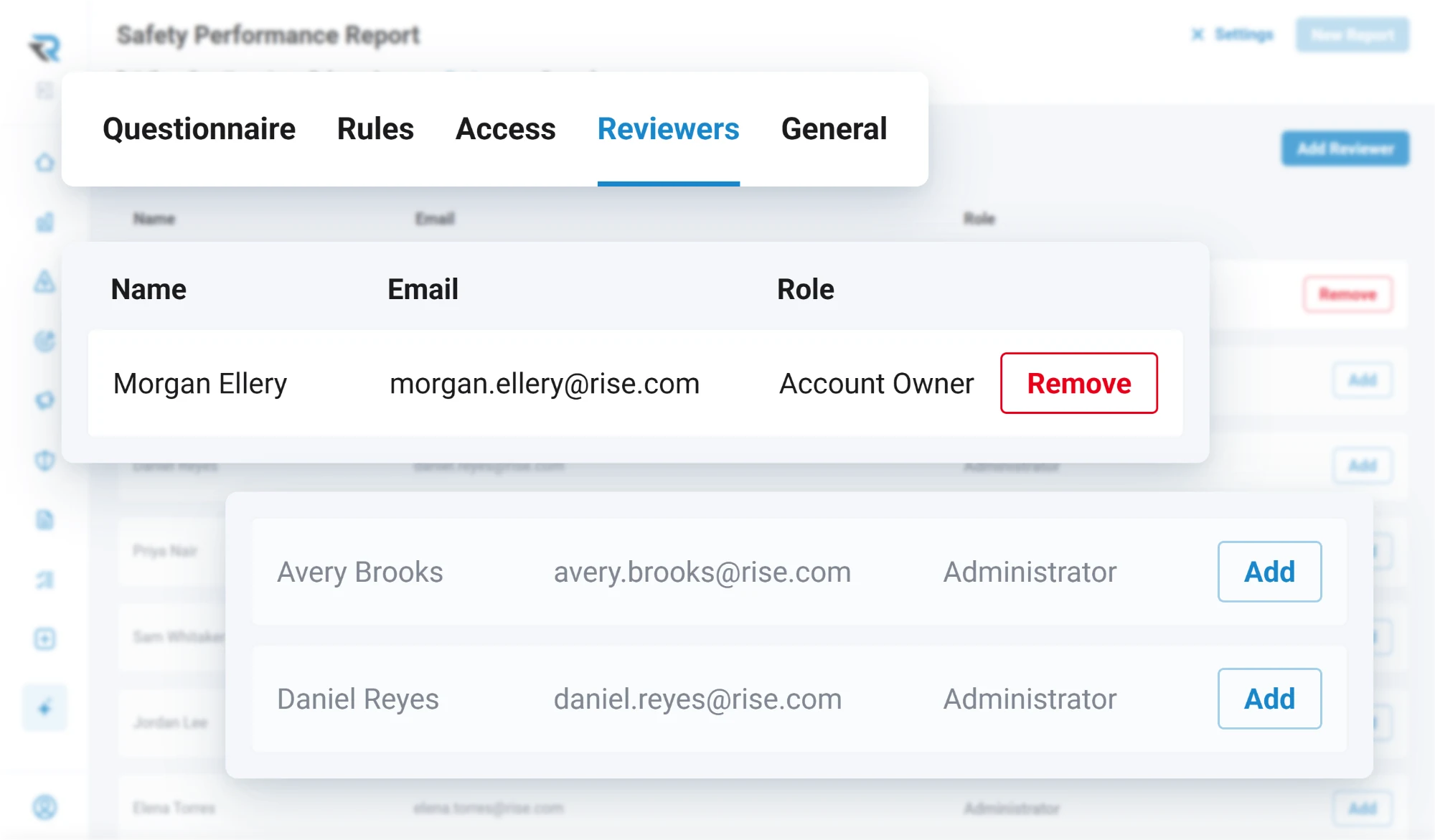
  • Recipients and reviewers, set per form
  • Access by user or by group
  • Signature on submission, with your disclaimer
  • An acknowledgement back to whoever reported it
A form's Reviewers tab: the account owner set as reviewer, with two administrators ready to add

Questions

Questions people ask

Can people report a hazard without an account?
Yes. A form can be opened for public access, which produces a link and a QR code. Somebody scans it, fills in the form and submits, with no login and on whatever device they are carrying. One code in company details opens the whole list of forms rather than a single one.
Can safety reports be submitted anonymously?
Yes. Anonymous submission is enabled per form, and the person filing decides at the moment of submitting using a toggle on the report itself, rather than the decision being made for them when the form was designed.
Can we build our own report forms?
Yes, in the app, by an administrator. You create sections and questions, choose from thirteen question types, add help text, make questions appear based on an earlier answer, attach point values for scoring, and set who receives the report and who can see it.
What is report triage?
A reviewer records what a report actually is, independently of the form it arrived on, and what should happen next. The reporter is not expected to classify their own report correctly, and the disposition says whether it needs an action, a risk assessment, an investigation, or nothing.

Discover how RISE can empower your safety program

A guided walkthrough of how RISE handles reporting, evaluation, resolution and insight, with time to talk about how your own operation runs today.