Skip to content
RISE

Risk assessments

Decide before the work starts, not after

A short form, filled in before a job, that scores itself as it goes. The crew sees the number they are working with, and anything above the line you set does not proceed until somebody has said so.
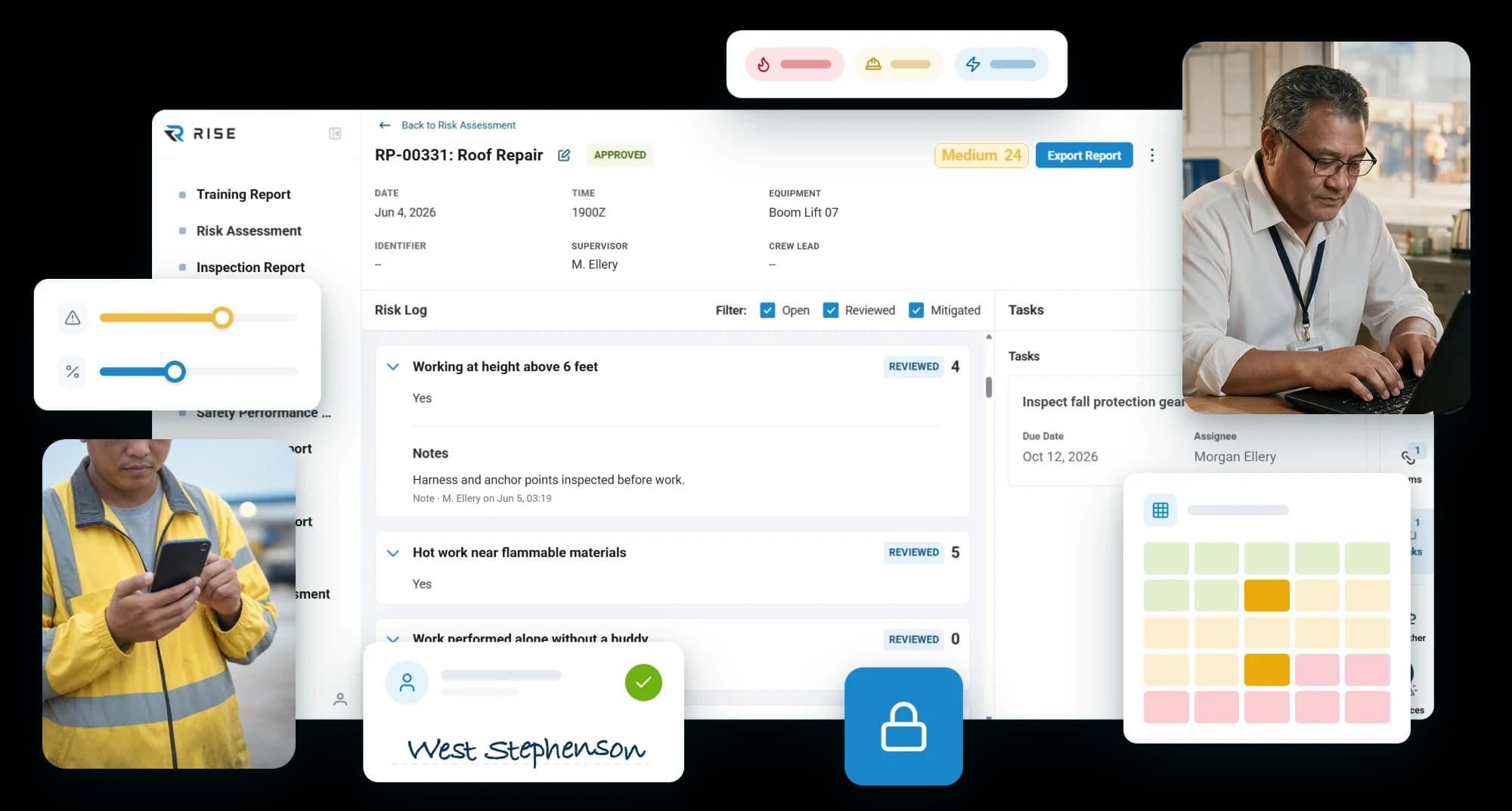
An approved roof repair risk assessment scored Medium 24, with its reviewed risks, notes and a fall protection task, between two workers in hi-vis checking their phones

Most operations assess risk once, in a document, a year ago

The risk that matters is the risk on the day: this crew, this equipment, this weather, this deadline. An assessment is only useful if it is quick enough to do every time and structured enough to mean something when it is done.

Scoring

The number comes out of the answers

Every answer on the form carries a point value, and the total lands in one of your thresholds. Nobody has to read the answers and work out what they add up to, because the judgment was built in when you wrote it.

You decide where each threshold starts and stops. Three thresholds, your numbers, set per form, so a job that scores twenty on one kind of work and twenty on another does not have to mean the same thing.

  • Point values on any answer
  • Your own minimum and maximum for each threshold
  • Set per form, not once for the whole account
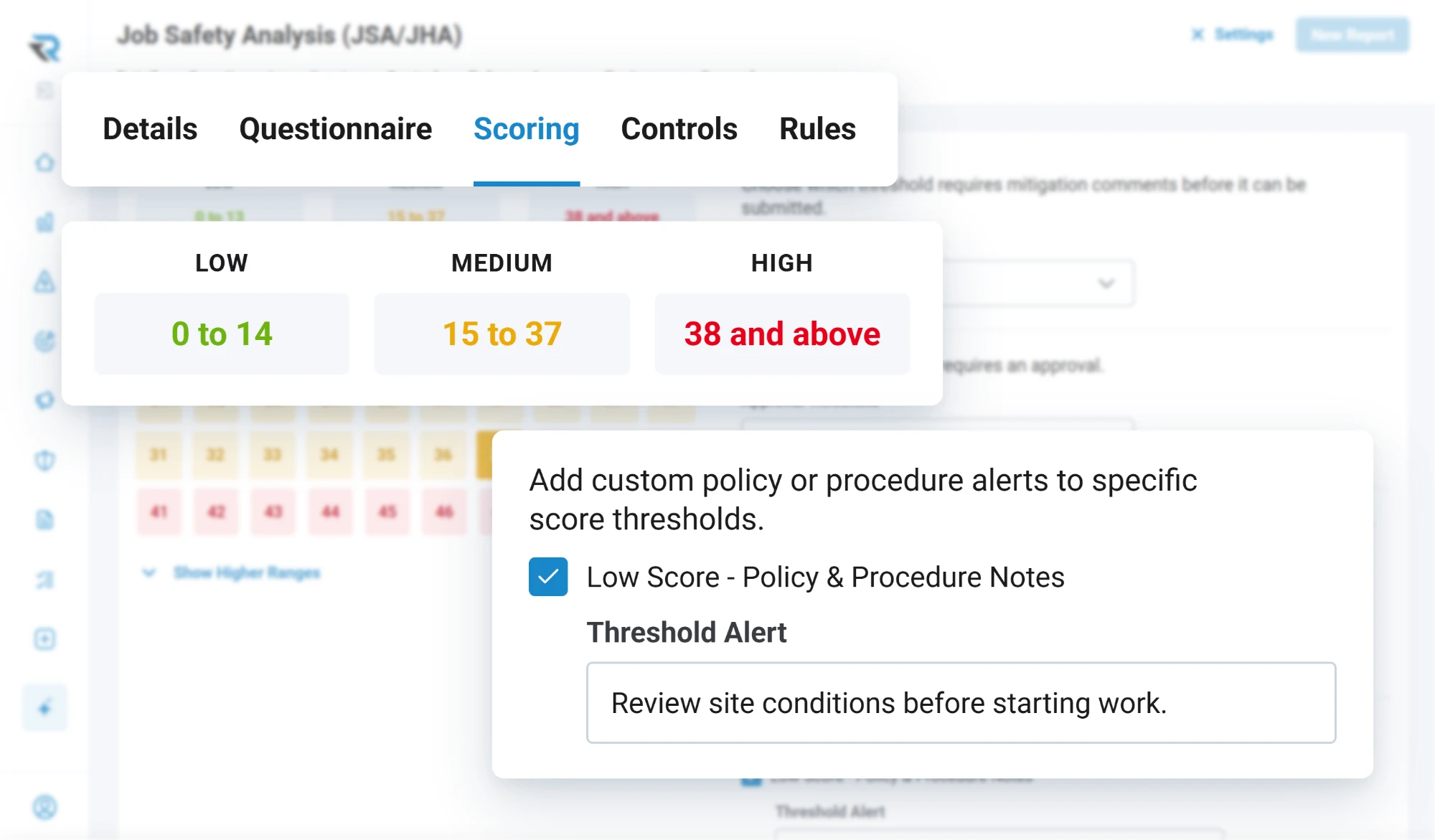
A risk assessment form's Scoring tab: low from 0 to 14, medium from 15 to 37, high from 38 and above, with a custom alert for low scores telling the crew to review site conditions before starting work

Mitigation

A high score has to be answered

Pick the threshold at which mitigation stops being optional. Above it, the person filling in the form is asked what they are doing about it, with a prompt you wrote rather than a generic one, and the assessment carries their answer as part of the record.

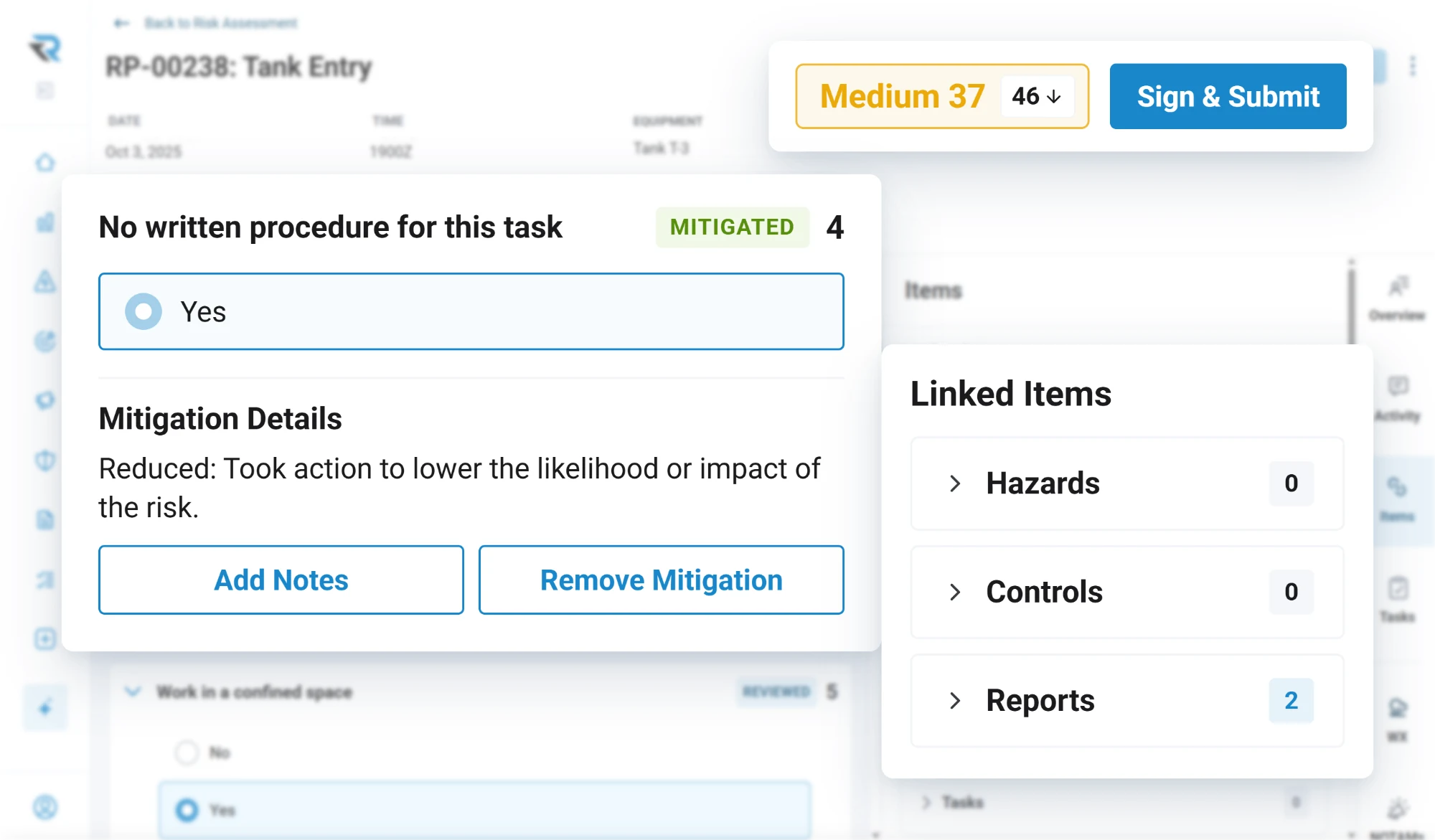
The score can then be recalculated with the mitigation counted, so what gets recorded is the risk they are actually taking, not the risk they would have taken if they had done nothing.

  • The threshold where mitigation becomes required
  • Your own policy text, per threshold
  • Alerts on the original score or the mitigated one
A tank entry risk assessment with a mitigated risk, no written procedure for the task, bringing the score down from 46 to Medium 37, ready to sign and submit

Approval

Above a line you set, it waits

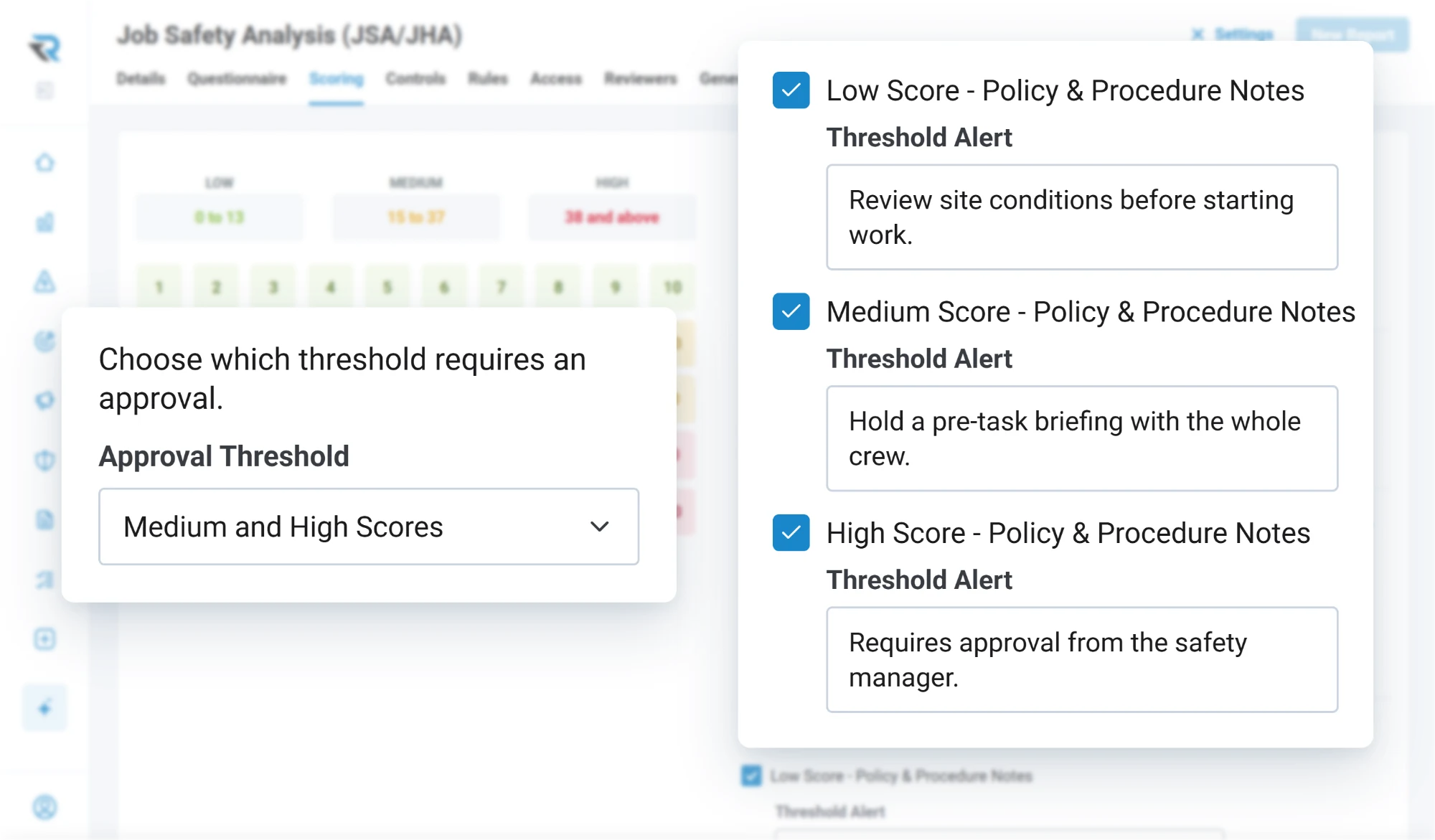
Choose the threshold that requires approval, and an assessment above it cannot simply be submitted and forgotten. You can hold the submission itself, or let it through and hold the work, so the control matches how your operation actually runs rather than forcing one shape on it.

  • The threshold that requires approval, chosen by you
  • Block on submission, or hold until the work starts
  • Named combinations of factors that force approval
A risk assessment form's approval threshold set to medium and high scores, with a policy alert for each threshold: review site conditions, hold a pre-task briefing, and approval from the safety manager

Scenarios

The combination your operation has learned to watch for

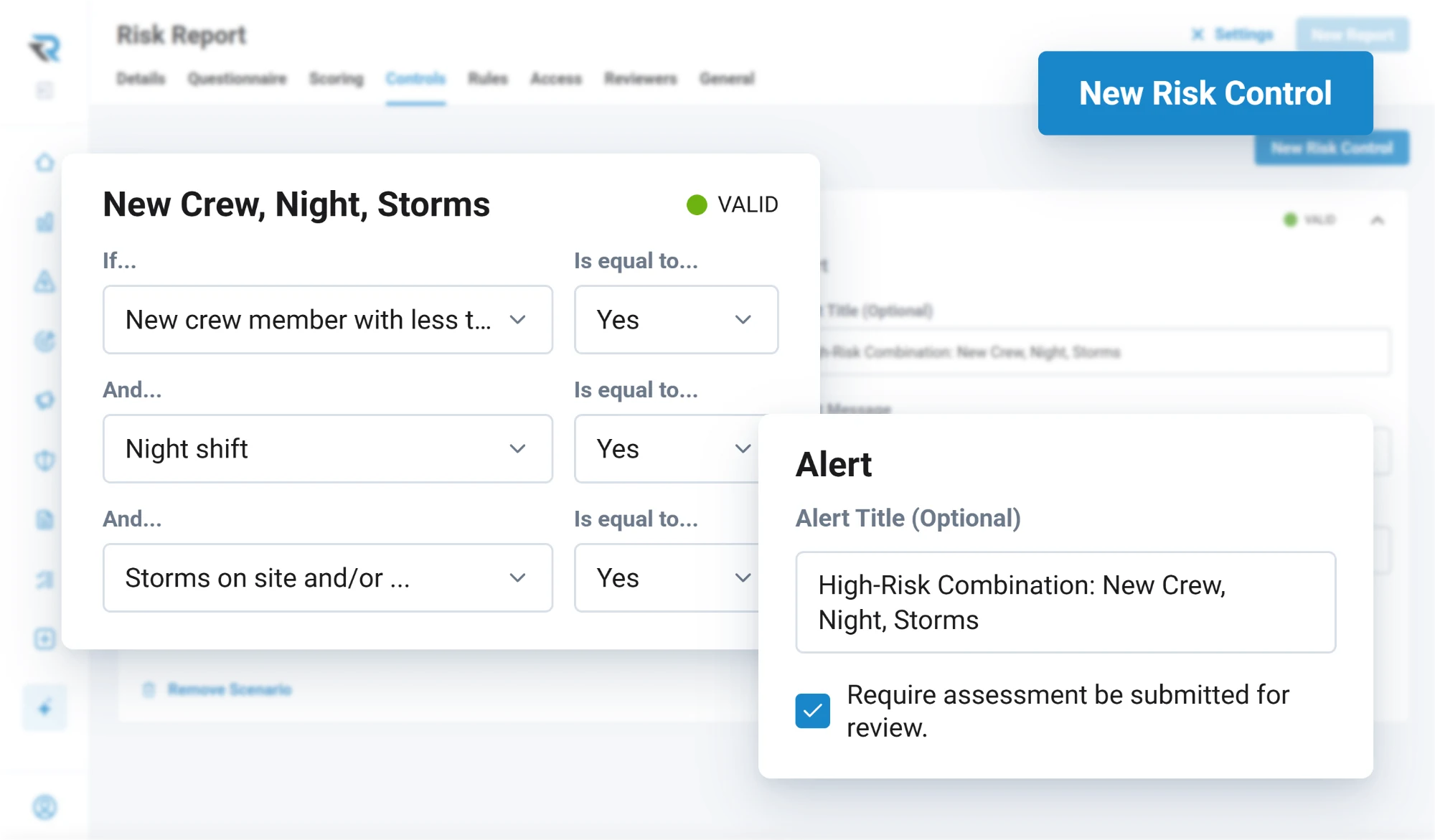
Every operation has a handful of combinations that are worse than the sum of their parts: the new crew member and the night shift and the weather, together. Name that combination once and the form raises your alert whenever it appears, with your wording, and can require approval on the strength of it alone.

  • Combinations of risk factors, named by you
  • Your own alert title and message
  • Can force approval regardless of the score
A named scenario on a risk assessment form: a new crew member, a night shift and storms on site, all answered yes, raise the alert High-Risk Combination: New Crew, Night, Storms and require the assessment to be submitted for review

Sign and send

Signed, acknowledged, and in front of the right people

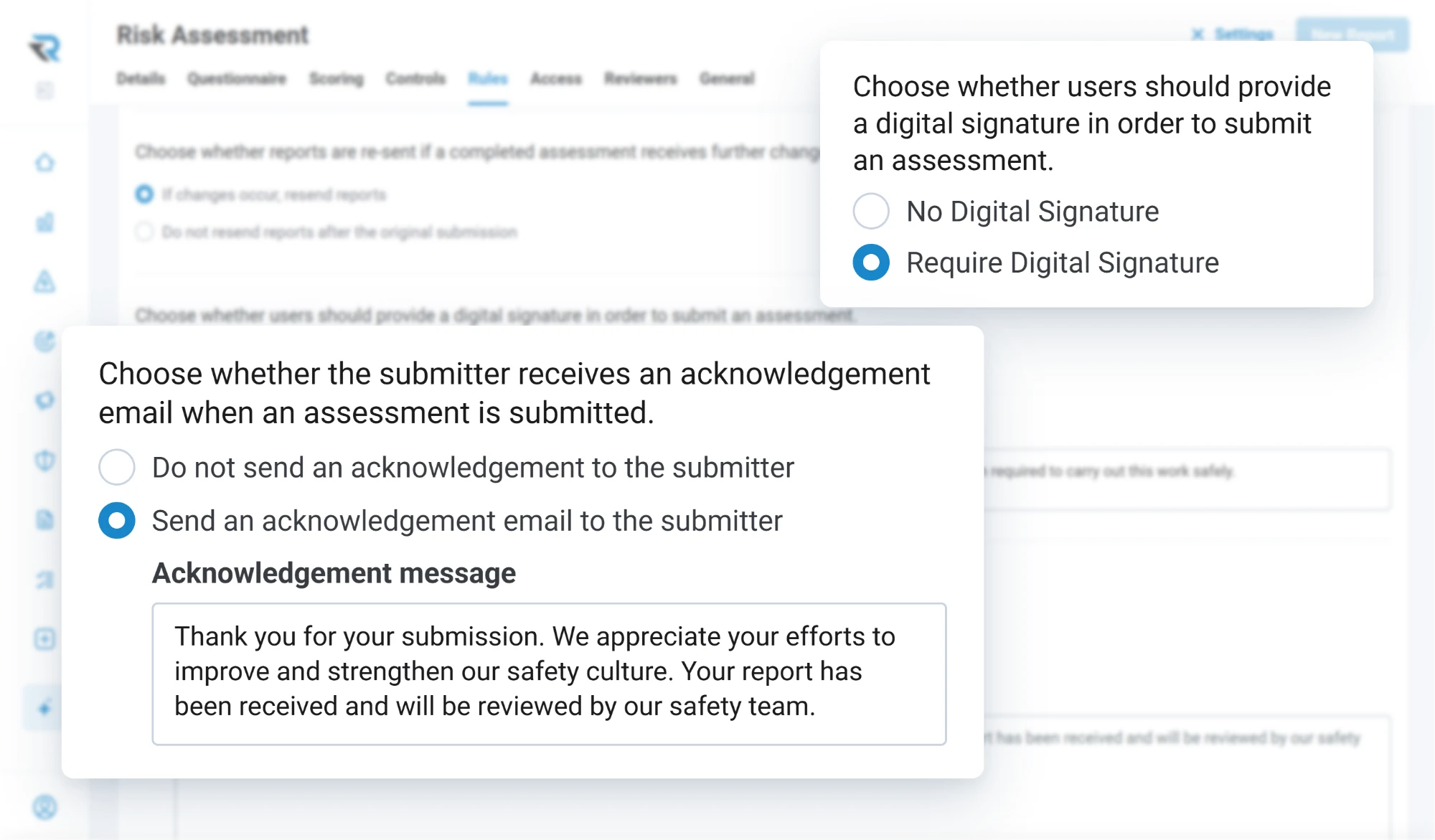
An assessment can require a signature with your own disclaimer above it. Recipients and reviewers are set per form, access is by user or by group, and the person who submitted it gets an acknowledgement you wrote. None of that is a separate workflow: it is the same form, configured.

  • Signature on submission, with your disclaimer
  • Recipients and reviewers, per form
  • Access by user or by group
  • An acknowledgement back to the submitter
A risk assessment form's rules: a digital signature required to submit, and an acknowledgement email sent to the submitter with a thank-you message

Questions

Questions people ask

What is the difference between a risk assessment and a risk evaluation?
A risk assessment is a scored form filled in before a job, usually per event and quick. A risk evaluation is a formal record about a hazard, with severity and probability, controls, residual risk and a documented acceptance decision. They are separate records in RISE and used at different moments.
Can we set our own risk thresholds?
Yes, per form. You set the minimum and maximum for each of the three score thresholds, the one at which mitigation stops being optional, and the one that requires approval. You can also write the policy text a person sees at each.
Can an assessment require approval before work starts?
Yes. You choose the threshold that triggers approval, and you can hold the submission itself or let it through and hold the work until departure. Named combinations of risk factors can also force approval regardless of the total score.

Discover how RISE can empower your safety program

A guided walkthrough of how RISE handles reporting, evaluation, resolution and insight, with time to talk about how your own operation runs today.