Skip to content
RISE

RISE Agent

Finally, you can talk to your safety data

Ask the RISE Agent questions the way you would ask a person. It reads every report, evaluation, action and audit your account holds, and answers from those records.
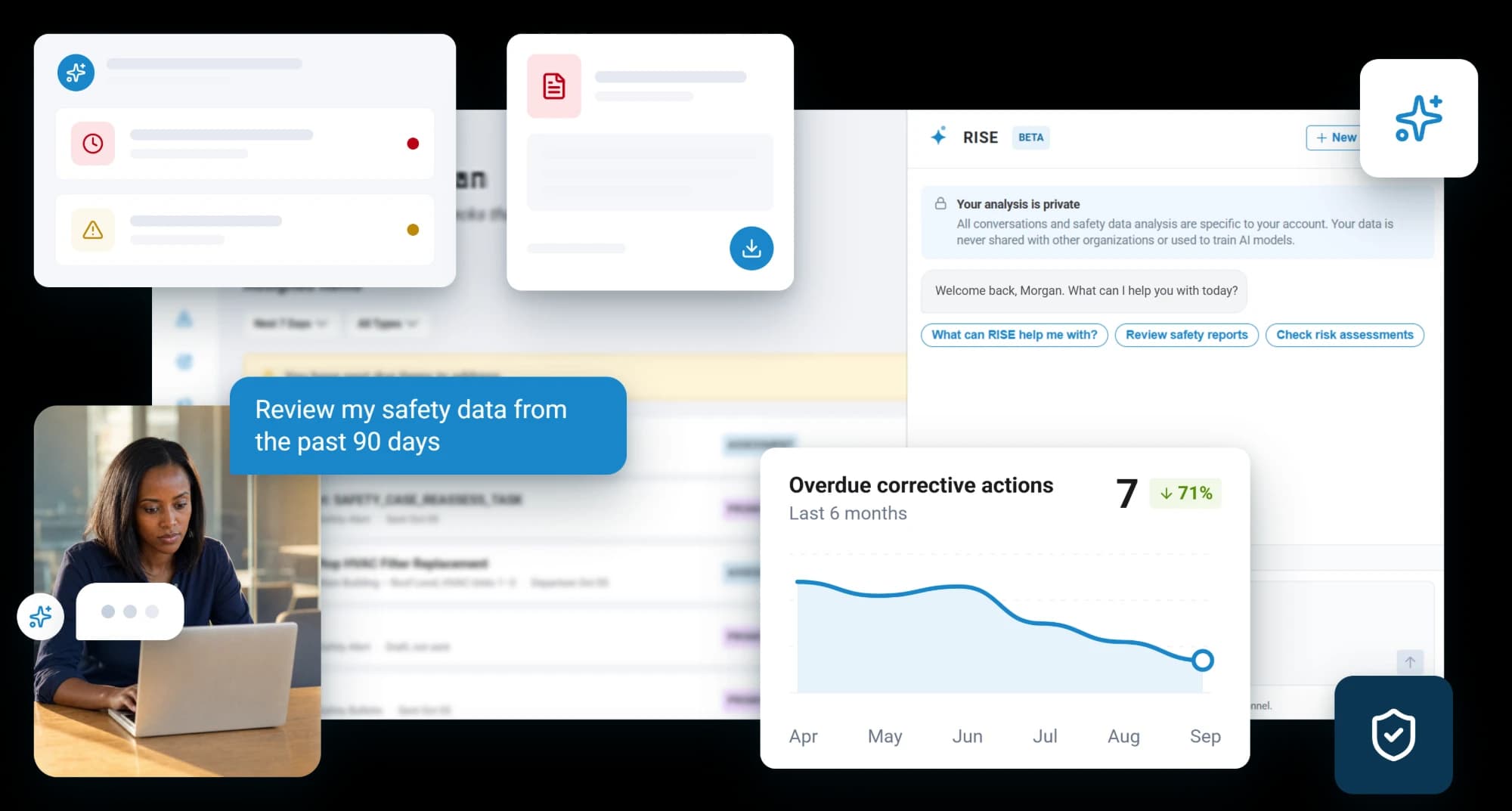
A person at a laptop asking the RISE Agent to review their safety data from the past 90 days, with the Agent panel open beside the workspace and a chart of overdue corrective actions falling to 7 over six months, down 71 percent

Every safety system can tell you what you stored

Making sense of it is the part most of them still leave to you, by hand, in a spreadsheet, every time somebody asks a question.

Asking

A question, not a query

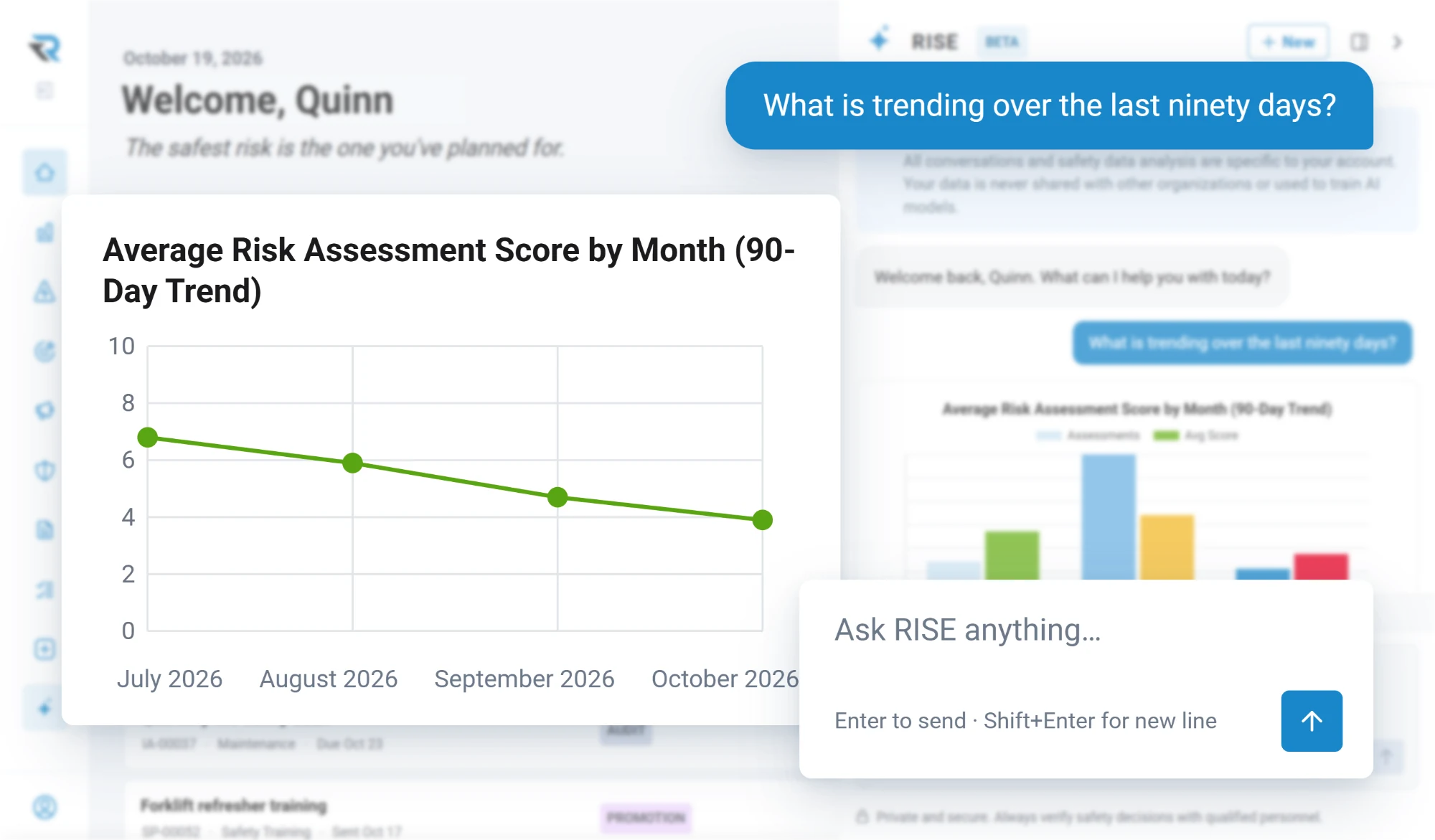
What is trending over the last ninety days. Which actions are slipping and who owns them. What is blocking that safety case. Which hazards keep coming back. You ask in the words you would use with a colleague, and it goes and looks.

It can reach into the hazard register, the action register, risk evaluations, audits, inspections, reports and safety objectives to answer, rather than working from a summary somebody prepared earlier.
  • Plain language, no filters or report builder
  • Reads the registers directly to answer
  • Follows up on what it finds, in the same conversation
The RISE Agent asked what is trending over the last ninety days, answering with a chart of the average risk assessment score falling from about 7 in July to about 4 in October

Permissions

It cannot see more than you can

This is the first thing anybody technical asks. The agent is scoped to the person asking, and that scope is worked out on the server. Nothing it is asked can widen it, because there is no way to name an account or a user in the first place.

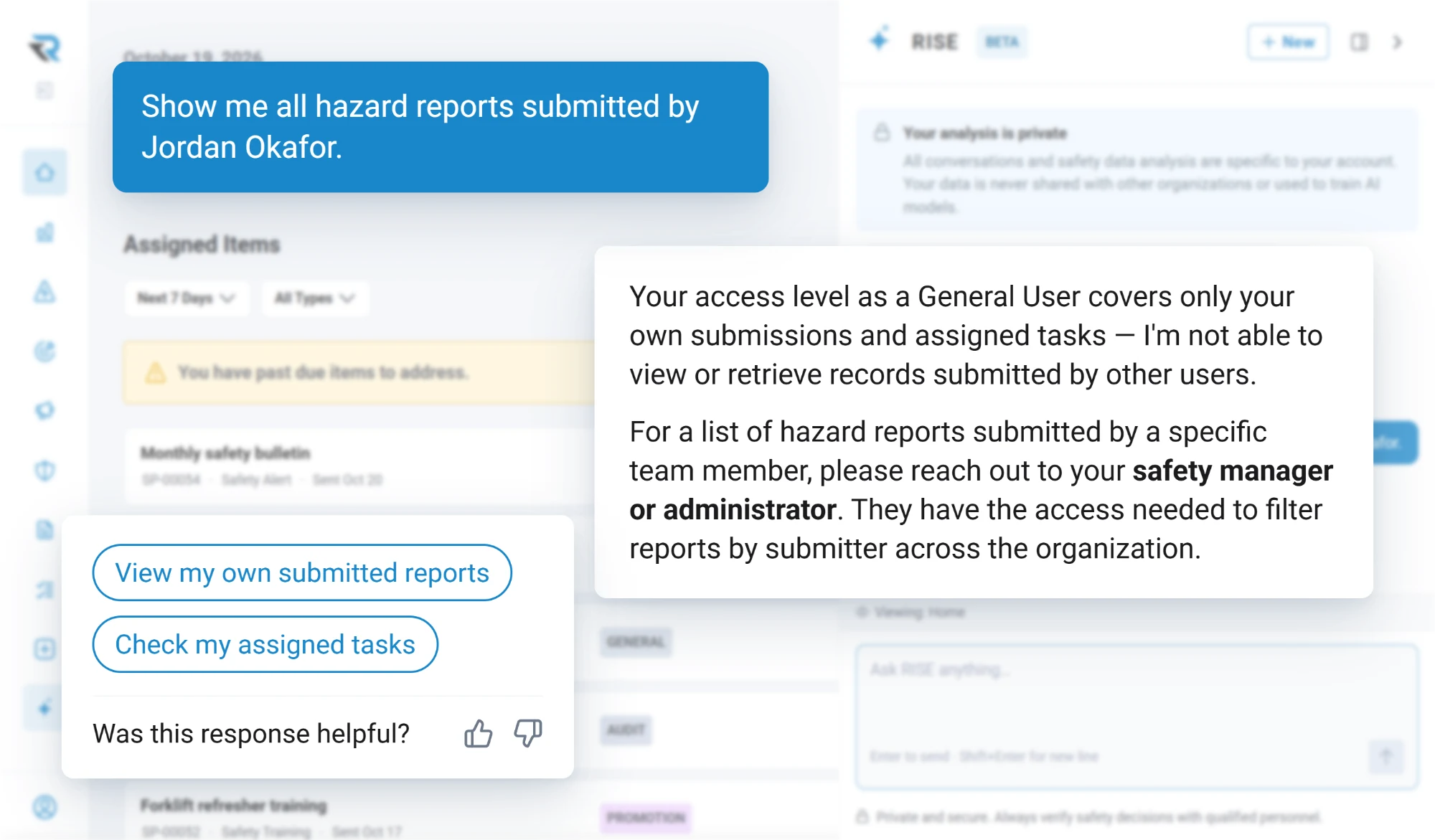
A general user sees only their own records. For audits, evaluations and safety cases it resolves visibility through the same rules the rest of the app uses, so it can never show somebody a record they could not have opened themselves.
  • Scope decided by the server, not by the question
  • A general user sees only their own records
  • Sharing rules are the app's own, not a second set
The RISE Agent asked by a general user for another person's hazard reports, answering that their access covers only their own submissions and assigned tasks, and pointing them to their safety manager or administrator

Objectives

It can propose what to measure

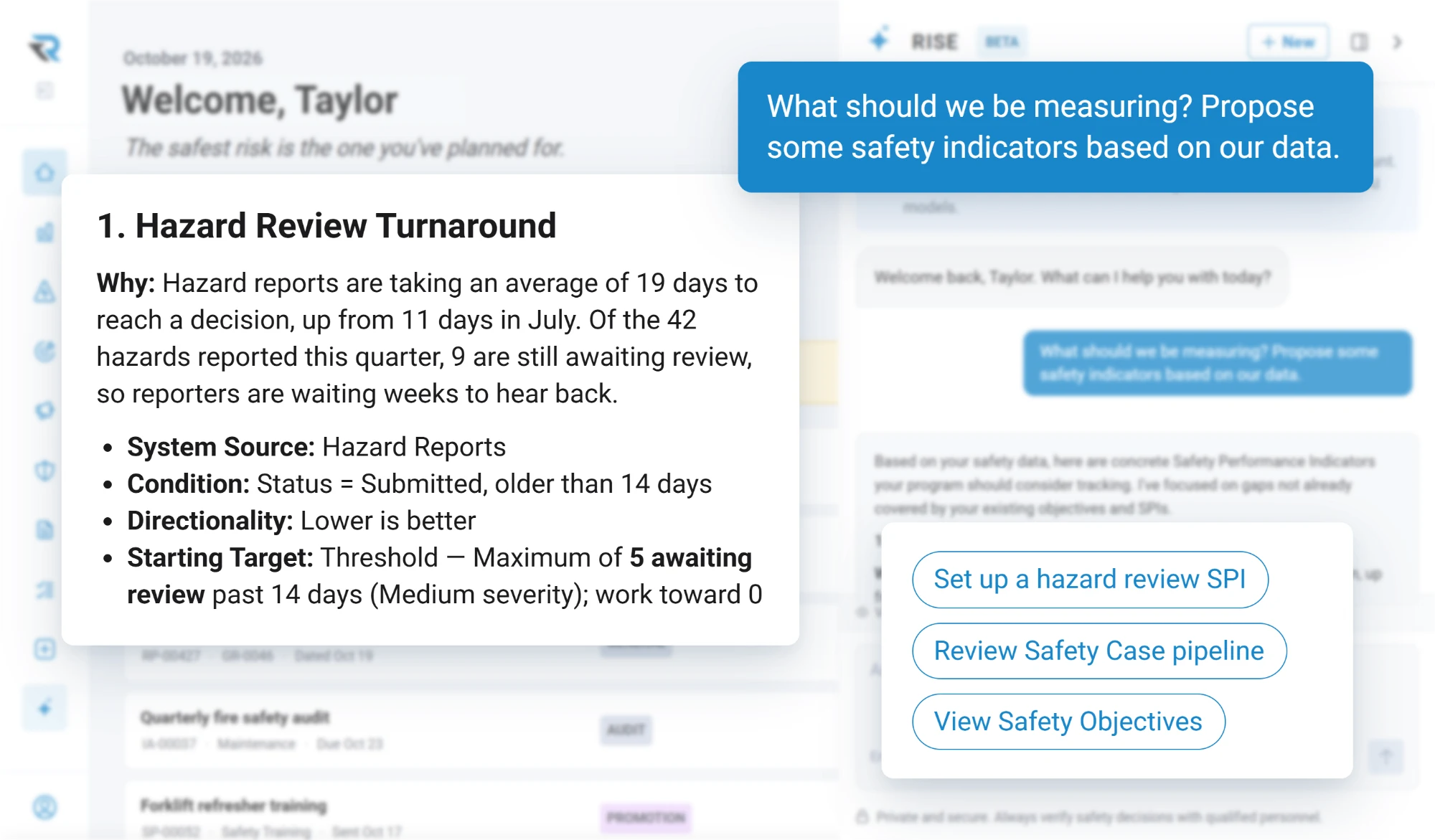
Setting safety objectives from a blank page is the hardest part of having any. Ask it, and it looks at what your operation actually records and proposes indicators to match: the source, the condition, the direction and a starting target. It skips what you are already measuring, so what comes back is the gap rather than the list.
  • Proposals built from your own data
  • A source, a rule and a starting target for each
  • Skips what an indicator already covers
The RISE Agent asked to propose safety indicators, suggesting hazard review turnaround because reports now take 19 days to reach a decision, with hazard reports as the source, submitted and older than 14 days as the condition, lower is better, and a starting target of no more than 5 awaiting review

What it will not do

It answers. It does not act, and it does not guess

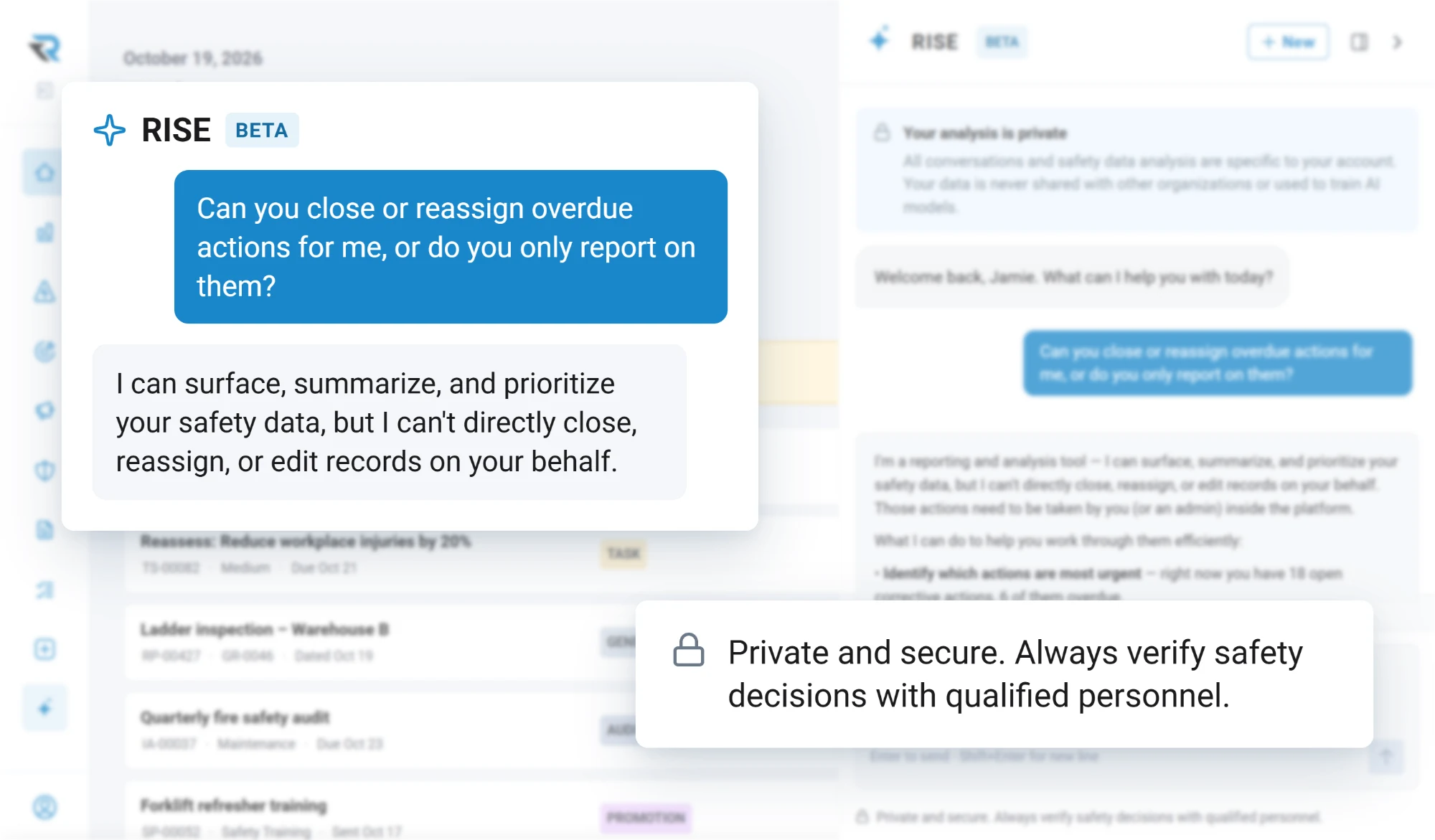
Every tool it has is read-only. It will tell you an action is three weeks overdue and who has it; it will not close it, reassign it or chase it, because a system that edits your safety records on its own initiative is not one you should want.

It answers when asked and does nothing in between. There is no watcher and no unprompted message. And it works from your records rather than around them: on the regulatory side it can discuss frameworks like FAA Part 5, ICAO Annex 19, EASA and IS-BAO from general knowledge, and it will tell you that is what it is doing.
  • Read-only, so it never writes to a record
  • No background watching, no unprompted messages
  • Answers from your records, and says when it is not
The RISE Agent asked whether it can close or reassign overdue actions, answering that it can surface, summarize and prioritize the safety data but cannot close, reassign or edit records

Questions

Questions people ask

What can the RISE Agent answer questions about?
Records in your account: hazards, corrective actions, risk evaluations, audits, inspections, completed reports, safety cases and safety objectives. It can also discuss safety management frameworks in general terms, and it says when it is doing that rather than reading your data.
What can the RISE Agent see?
Exactly what the person asking it can see, and no more. Its scope is worked out on the server from who is asking, and nothing in a question can widen it. Audits, evaluations and safety cases use the same sharing rules as the rest of the product.
What can the RISE Agent do to our records?
It reads your records and answers from them. Every tool it has is a query, so it will tell you an action is overdue and who owns it, and leave the closing, reassigning and chasing to a person. Deciding and acting stay with people, deliberately.
Where does the RISE Agent get its answers from?
Your own records: reports, risk evaluations, hazards, controls, corrective actions, audits, inspections and safety objectives. Uploaded manuals and procedures are files rather than data, so they are not indexed, searched or passed to it.

Discover how RISE can empower your safety program

A guided walkthrough of how RISE handles reporting, evaluation, resolution and insight, with time to talk about how your own operation runs today.